![]() | ![]() | ![]() | ![]() | ![]() | ![]() | ![]() | ![]() |
![]() | ![]() | ![]() | ![]() | ![]() | ![]() | ![]() | ![]() |
![]() | ![]() | ![]() | ![]() | ![]() | ![]() | ![]() | ![]() |
![]() | |||||||
| By N2H | |||||||
Recent Articles
- Home
- Data Integration Software Options
- Data Integration Solutions
- Database Software Options
- Data Integration Tools
- Disaster Recovery and Business Continuity Auditing
- Disaster Recovery Best Practices
- Disaster Recovery Software Options
- Disaster Recovery Solutions
- High Availability Architecture
- High Availability Solutions
- How to Get Disaster Recovery Certification
- Remote DBA or Database Administration Services
- What is a BLOB or Binary Large Object?
- What are High Availability Clusters
- What are High Availability Servers?
- What Are Disaster Recovery Services
- What is a Data Mart?
- What is a Database Trigger?
- What is a Disaster Recovery Data Center
- What is a Disaster Recovery Plan?
- What is a DSN or Database Source Name?
- What is a Flat File Database?
- What is a Multimedia Database?
- Java Database
- What is a Relational Database?
- What is a Relational Database Management System or RDBMS?
- What is a Stored Procedure?
- What is a Sybase Database?
- What is a Transactional Database?
- What is a Web Database?
High Availability Architecture
September 11th, 2009 by DatabaseGuides
High availability networks are complex and costly systems to rollout with long planning timeframes and high expectations from users that the system will perform. To choose the correct hardware and software and the optimum network design IT administrators and their staff invest a considerable amount of time in analysis of corporate needs. Network architecture that is rated high availability needs to perform to very strict standards of uptime.
Redundancy rather than being a stated goal becomes a necessary component of high availability networks, inherent in the design architecture. From RAID, redundant networking, to spare hot servers, high availability requires them all. From the use to the data and back again, almost every connection will be duplicated at least once, although in mission critical networks that require 100% uptime this may increase to 4, 6, or 8 duplications.
High availability networks are measured on the percentage of time they are online doing their assigned task, mission critical networks needing 24 hour uptime 365 days a year cannot fail, and uptimes are measured in the high 99th percentile. To put this in perspective, the architecture needs to be designed with goals of just one hour of downtime per year (99.99%), or just 5 minutes of downtime per year (99.999%)

Levels of uptime in the high 99th percentile is only achieved thru developing architecture that allows part of the system to be brought down without affecting running processes and user access. Scheduled maintenance of primary servers can then be carried out over time periods stretching into several hours without loss of productivity.
The architecture of high availability networks is generally designed with two purposes in mind, local high availability, typically for networks in smaller corporations, and geographically distributed high availability networks that are more typically rolled out within very large corporations and where disaster recovery is an important design consideration.
A number of node configurations are possible in high availability architectures, and no single design can be described as best since each installation is always different requiring specific design features over others. The service level standards being applied will for the most part dictate the design chosen of the many that are commonly used, namely active/active, active/passive, N+1, N+M, N-to-1, and N-to-N.
To be effective, a high availability network needs to be configured to avoid conflicts in the event of a failed device. Planning the design architecture should promote reliability, availability, and serviceability (RAS) thru designated succession whether this is pre-configured or voted on by the remaining servers.
Correctly configured, most high availability servers include heartbeat daemons that actively send small packets to other servers in the network, which are in turn also sending heartbeat packets, and all are listening so that a failure is quickly identified and the failed server fenced off and it’s duties reassigned within the system. The avoidance of a split brain scenario where two or more servers attempt to control resources, a situation that will quickly bring down the network and could result in severe damage to data.
Related Posts:
Posted in General, High Availability | | 0 Comments
High Availability Solutions
September 11th, 2009 by DatabaseGuides
High availability is no longer a luxury beyond the affordability of most corporations, in the 21st century it is now considered a requirement for almost all businesses regardless of industry and solutions are actively sought. Quite simply, a computer or server that fails might very well prevent the business from operating, and in today’s online world that may equate to significant lost revenue.
Within select industries such as government, financial services, legal, or health and hospitals, downtime is simply not acceptable. High availability of service is considered mandatory and may face regulatory oversight with penalties levied if uptime guarantees are not met. Meaning solutions that ensure minimal downtime and optimum service for the required number of users are actively sought out.
Solutions that encourage high availability comprise all facets of the IT network, and need to be designed with architecture that makes a failover anywhere in the system transparent to the user. This also offers the advantage that systems and components can be repaired or replaced without downtime or added pressure from users when IT perform maintenance.

Duplication of network components is easily the most popular solution for ensuring high availability across the network, typically most IT administrators install multiple RAID in their server farms or use storage area networks (SANs). Multiple redundant paths and failover routers and hubs are also used extensively and so too are backup servers that run hot and are ready to seamlessly take over resources if a failure is detected in the primary servers.
The need for duplication stems from most systems and components lacking fault tolerance that would allow continued operation despite a failure, forcing IT to create fault tolerant networks thru increased spending on backup components, and additional pipes. The cost of creating a dedicated backup network is usually beyond the budget of most corporations, with high overall costs of acquisition.
Third party data center and network leasing is a viable and affordable alternative, and leasing services within third party owned data centers that act as backup for critical network servers and components removes the onus on the IT department for planning and maintaining backup networks. By contracting out for backup services, complexity increases, but also allows for greater flexibility in testing failover procedures.
Designing systems and procedures that monitor performance of servers and network components and create log files, but more importantly generate resource usage reports over time are integral to high availability systems. Determining the correct solutions thru analysis of actual needs is preferable to running simulations of potential problems.
Training staff to recognize problems before they occur promotes a culture of excellence, helping personnel make better decisions and recognize potential problems before they occur, often be being able to read incomplete information. High availability solutions are complex, and trained personnel are better able to anticipate bottlenecks and failures, thus making less mistakes.
Adding redundancy at the staff level in these economic times will rarely be sanctioned, so reducing reliance on a single staff member thru cross training and task swapping supports high availability solutions. This needn’t be a threat to highly skilled staff, indeed their employability will increase.
Related Posts:
Posted in General, High Availability | | 0 Comments
What is a Database Trigger?
September 11th, 2009 by DatabaseGuides
A database trigger is a form of stored procedure which is immediately processed in response to certain events with a database. A database trigger may allow the user to block any transactions, perform logging as well as modifying data within the database. Trigger can be classified into two types – the “row” triggers and the “statement” triggers. “Row” triggers usually occur for every row of a specific table, while “statement” triggers can only be executed once in every INSERT (a new record or input is being placed in the database), UPDATE (a record is being changed) and DELETE (a record is being removed) statement. Keep in mind that triggers cannot be executed in the SELECT statement.
Other types of triggers include “BEFORE” and “AFTER” triggers. “BEFORE” triggers usually performs the triggering action before the triggering statement. On the other hand, “AFTER” triggers are usually performed after the triggering statement.
When using database triggers, a user must consider these following effects:
1. Data triggers don’t accept argument, but they temporarily store affected data in specific tables.
2. Data triggers cannot work on rollback operations because they are a part of an SQL server. Triggers can only be done autonomously.
If data triggers are not properly written, triggers may develop and receive erroneous data.

How to Utilize Database Triggers
Database triggers are used to have a highly-modified database management system. For instance, users can organize their weekly files by only using several commands or triggers. Other uses of database triggers include security of important files. Database triggers automatically produce derived column values. It also checks invalid transactions, implement security authorization as well as integrity among users. Moreover, database triggers allow transparency in logging, complexity in auditing, integration in table replication as well as implementation of business rules plus accessibility of data from data tables.
Components of a Database Trigger
To better understand the function of a database trigger, you need to learn about the components of a database trigger.
The first part is the triggering statement or event. The triggering statement or event is an SQL code that executes a trigger to be activated. A triggering statement may indicate an UPDATE, an INSERT or a DELETE procedure. The second part is the trigger restriction. The trigger restriction refers to a logical or Boolean expression. This expression should be TRUE so that the trigger will be implemented. The trigger will not be executed if the expression is incorrect or FALSE. Trigger restriction is an alternative procedure available in each row of the table. Trigger restriction works by monitoring the procedure made in each table. Just use the WHEN clause during the execution of the trigger restriction. The last part of the database trigger is the trigger action. The trigger action is executed when the triggering statement is employed and the expression is TRUE. Just like the stored procedure, the trigger action contains the SQL statement and the PL/SQL code.
In using the database trigger, you need to specify the statement as well as the validity of the expression.
Related Posts:
Posted in General | | 0 Comments
What is a Multimedia Database?
September 10th, 2009 by DatabaseGuides
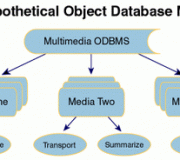
Generally, majority of businesses, schools and other institutions use multimedia data to store data and disseminate important information. Multimedia data consists of digital images, sounds, videos, animation, graphics as well as text data.
During the past few years, the generating, processing and storing of multimedia data has grown immensely. There are three factors that contributed to the growth of multimedia usage. The first one is the use of personal computers as well as high-definition gadgets such as digital cameras, video cameras, scanners, printers and monitors. Secondly, the use of the World Wide Web contributes to the multimedia data growth. The internet is widely used nowadays, so the use of multimedia data is definitely in demand. Lastly, certain software application requires multimedia usage, and subsequently, more applications will use multimedia data.
Purpose of a Multimedia Database
Multimedia is gifted with several exciting features. Multimedia provides data for medicine, engineering, biology as well as social sciences. It also helps in the development of new patterns for distant learners as well as group and personal pursuit. Because of the immense growth of multimedia data usage, users will need a database to store significant multimedia data in order to provide consistency, credibility as well as accessibility. For the user’s point of view, the use of a multimedia database will provide convenience as well as easy manipulation and storage of significant information.

A multimedia database is, by far, more enhanced than the traditional database. In order to manage a large volume of information, it is necessary to utilize some of the inherent qualities of the multimedia database. With the use of the multimedia database, users will consequently provide unity on processing, storing and manipulating data as well as disseminating significant multimedia data to other databases. Multimedia database also conforms to numerical constraints, which are definitely not found in traditional databases.
What’s Inside a Multimedia Database?
In order for a multimedia database to work, the database needs to manage several types of data. The first type is the media data. This data represents that of the digital images, audio as well as video which are captured, compressed as well as stored in the database. The second type is the media format data. This data pertains to the format of the media data after it undergoes processing and encoding. This data format consists of sampling rate, resolution as well as encoding schemes. The third type is the media keyword data or also known as the content descriptive data. This data contains the pertinent information of a particular statistics. For instance, in a video, the media keyword data contains the place, data and time of recording. The last type is the media feature data, also known as the content dependent data. This data pertains to the essential features of the media data. For example, the media feature data presents the types of colors, textures as well as shapes used in the images.
Keep in mind that the multimedia database may require the use of the media keyword data and media format data for searching information, while the media format data is utilized to show the retrieved information.
Related Posts:
Posted in General | | 0 Comments
What is a Web Database?
September 10th, 2009 by DatabaseGuides
Are you running your own website and you constantly want to monitor, update and feed more information to your website? If your answer to this is yes, then you will definitely need a web database.
A web database is commonly used by website owners who sell online products, have a member-based subscription and many more. Owning a web database will really provide you with the convenience of extracting and manipulating your web features. You daily tasks will also be organized with the use of a web database.
A web database is a database solely designed for the internet. Users can have access to databases over the internet, or they can develop databases for web access purposes. The web database allows storage of large amount of information, which is definitely accessible from scripting languages (e.g. PHP-Hypertext Preprocessor). Furthermore, web databases can be used without that much of a problem because inputs can be made automatically by users by using the web database.
Points to Remember when Building Your Own Web Database
Many web users would want to have their own webpage, but if you have little knowledge about programming, you might encounter some problems. When building your own web database, you will require ample time to add the appropriate programs through certain procedures. You may also need to have a strong background on programming to execute this. You should also remember that you will need to set up a security system for your database. If you are really determined to build your own web database, you can go online and look for tutorials or tips on how to make one.

How to Build Your Own Website and Database
Before making your own web database, you must make an assessment of your objectives as well as your resources and your commitment to the project because in making your own web database, you will need to have dedication as well as ample resources for your website to survive and grow.
The first step in making your own database is knowing your resources. The next thing you need to consider when making your own website is the number of people willing to work on the project. You need to have a team of competent professional people who are knowledgeable in web database development. This team should be skilled in programming, so that you are assured of a good database development outcome. Another important aspect in developing your own website is that you will need to consider the audience that your website will be serving. Moreover, your website’s content should be relevant to what your audience will want to know.
Since web database is essential for those who are in business, you will also need to consider some of these factors – server selection, database details, and resources for information technology support as well as online data modification details.
Remember, a web database will surely make your life easier, so you need to consider all of these if you want to have a reliable web database.
Related Posts:
- No related posts
Posted in General | | 0 Comments
What is an Object Database?
September 10th, 2009 by DatabaseGuides
Object database may also be referred to as an object-oriented database where the data is presented as an object, much like the ones used in an object-oriented program. Object database management systems or ODBMS are created by combining the capabilities of a database with the capabilities of an object programming language. The function of an ODBMS is to make the objects in a database look like objects for programming language in other object programming languages. The function of an ODBMS is to stretch the programming language using persistent data, recovering data, and a lot more.
Why Use Object Database?
Java, C#, Python are some examples of object-oriented programming languages that work well with object-oriented databases. Other object-oriented databases have their own programming languages aside from those mentioned above. The ODBMS uses the same model as the ones found in a programming language that is object-oriented. Those companies that are looking for a high performance for processing their data should think about using object database to store their records. In short, object database is the best type of database to use when in need of a database that can answer three factors – the needs of the business, complex data and optimum performance.

Brief History of Object Database
The ODBMS came out of a research during 1970, and in the year 1985, the term “object-oriented database system” first came out. There are numerous products that appeared in the market such as Gemstone, Vbase and Gbase. Other products such as the ObjectStore, Jasmine, O2, VOSS, and Verdant Object Database can still be found until now and have since been combined with recent open source programs. The idea of persistence was also included into other object-oriented programming languages by the object database management systems. Some of the programming languages such as Gemstone, VOSS, Vbase and Gbase were incorporated into other programming languages, but during the 90s, C++ was the most popular programming language to be used before Java was later introduced. In 2004, object database grew with the emergence of object databases that are open sourced. These recent object databases were more affordable and easier to use than their predecessors and this is due to their use of OOP language.
Using Object Database
Object databases became in demand within certain areas in applications used for telecommunications, engineering and the like. Not only that, they are also used in other scientific applications as well. Though they are not that popular in the market, object databases have made their mark in some areas for services with regards to finances.
Some object database provides its users with a query language of their own. This function allows the user to access records using declarative programming. The differences between object databases products lie within the integration of query language, the interface and the query language itself. The schema of the object database product is also another source of comparison.
When comparing ODBMS to other products, it will only show that ODBMS is far more effective than the others in specific tasks. This is due to the navigational interfaces which are used by the ODBMS with its operations unlike some who are using declarative interfaces.
Related Posts:
Posted in General | | 0 Comments
What is an OLAP Database?
September 10th, 2009 by DatabaseGuides
OLAP stands for online analytical processing and is the process of easily acquiring selected data from a database. It also functions by displaying the information in different perspective depending on the user. If, for example, a user wishes to see a certain product and where it can be bought, OLAP will then generate different reports showing exactly what the user is looking for. This is due to the multidimensional capability of the OLAP, which, unlike the relational database, uses only two-dimensional interface. The beauty of a multidimensional approach is that it sees one criterion as a separate entity, therefore, producing separate reports. OLAP has the capability of finding each item and display them in separate forms.
Functions of OLAP Database
OLAP can be used for searching hidden relationship between several data, also known as data mining. The database for OLAP isn’t quite large as the storage for databases since only some of the transactions done in the database can be considered for analysis. Data can be brought from another type of database such as the relational database to build a database that is multidimensional for OLAP.
OLAP is commonly used in generating business reports for sales, marketing and management reports, budget, and financial forecast and so on. Databases that support OLAP use a multidimensional approach that authorizes difficult queries executed in a fast rate. The multidimensional database has aspects that are taken from the navigational database and hierarchical database, making the database faster than the relational database in executing an action or query.
OLAP Cube
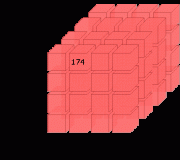
The center of any OLAP system is the OLAP cube, which represents facts in a numeric representation called measures, which are then categorized as dimensions. This type of schema was inspired by the snowflake schema, which is commonly used in relational database. The measures came from the recorded data in tables holding facts, while the dimensions came from the tables for dimensions. Database users can think of measures having their own labels, while the dimension is the one that defines the measure.

OLAP Aggregations
OLAP is known to provide a result in less than a second, and this is due to the use of aggregations. The aggregation stemmed from the table containing the facts wherein alteration in some specified dimension granularity can aggregate the data in an upward motion. The aggregations can be numerous, depending on the number of possible dimension granularities. Due to the number of possible combination of dimension granulation, there will be a remainder of these combinations ready to be used depending on the demand of the user. This will also result to a view selection problem. In order to minimize this type of problem, the view selection can be curbed by determining the size of the aggregates and the time it takes before it can be updated. Either you can choose one or use them both to constrain your view selection. The function of the view selection is to simply lessen the time it takes to get a result from OLAP.
There are different types of OLAP in the market today. These are the multidimensional, relational, and hybrid.
Related Posts:
- No related posts
Posted in Data Integration, General | | 0 Comments
What is Database Development?
June 8th, 2009 by Shenron
Whether you want to use the internet as a soap box to publish your content to reach people around the world or want to become the next online mogul, developing a database comes first. Databases are used to store and manage data in a computer.
If you just want to publish your content online, there are inexpensive ways to do that. You can create HTML and data pages by using database softwares to publish them. But other needs, such as multiple users and web interaction and applications, require server databases. Server databases can be expensive, but there are free softwares online that web owners can use. The World Wide Web is a fast-paced place so web owners have to keep their database updated.

Database Development Needs for Simple and Complex Websites
To be able to create your own website and publish your own content online, you need a database that will store and manage your data. Data is basically everything on your website. This data is often generated with a script such as HTML, so it can be published online.
There are different types of databases depending on your needs. If you want to make a simple website, you can use a flat file style database. This database is used to handle small amounts of data that can be edited. If you want to make a website about yourself or something that you are passionate about, this is the ideal database.
On the other hand, if you want a more complex website with web interaction and applications, this requires a more logical structure. This is called relational databases. Tables can be used to represent objects, which also act as attributes. They can also be linked to each other, enabling cross references within the site. Database servers are needed to maintain a complex website, especially if you have many web applications. There are ways though that you can develop your site without spending any money, and this is by using the proper database software.
Inexpensive Database Development
There are inexpensive ways to develop your website. If you want a simple website to publish your content, you can use Microsoft Access. Web owners can use active server pages to create dynamic websites. There are also free database softwares such as DB2 Express-C. This software enables a web owner to store their data, create multiple databases and manage their resources. Unlike other softwares, DB2 does not put restrictions on storage, instances and resources.
Managing and Maintaining Databases
But the work doesn’t stop there, databases, like any other business, also need to be regularly maintained and managed. Database administrators are tasked to maintain database management systems. They are tasked to manage, evaluate and monitor the database software and its related products.
If you are serious in making an online business or want your business over the Internet, you have to think about database development and management. If you are not cut for the job, there are IT professionals who can help you out. Web owners also need to keep themselves updated if they want to be ahead of the pack in the World Wide Web, and because competition is stiff, making your own website is just the start.
Related Posts:
Posted in General | | 0 Comments
What is a Database Transaction?
June 8th, 2009 by Shenron
When we are talking about database transaction, we are referring to a work or operation done within a management system of a database against another database using an understandable and reliable approach. This operation is done on its own without relying on another program. The transactions done in a database has two uses. First, the unit of work provided by the transaction produces accurate recovery of data whenever a failure occurs. It also keeps the information within the database accurate during the failure of the system, sudden end of an execution, as well as unfinished operations in a database. Second, the database transaction isolates the database from other programs that is accessing the database at the same time. This helps prevent mistakes with the outputs.

Features of Database Transaction
Most database programmers follow certain database features whenever they create one. Databases should be atomic, isolated, durable, and consistent. Transaction in a database is commonly referred to as all-or-nothing. This means that a transaction should finish totally; otherwise, there will be no effect on the database. The system should also be able to separate one transaction from another and make sure that the results of a transaction agree with the constraints in the database, and all successful transactions should be placed in a storage that will last a long time.
Most databases and data storages have certain features that allow them to manipulate the transactions within a database in order to preserve the integrity of the recorded information. Each transaction done is composed of a single or several actions that reads and writes the information into a database or data storage. It is better for you to check whether the transaction that occurred is accurate or consistent.
The recently released relational database management systems support transactional databases. Any transaction that is done in a database system may contain more than one manipulation of data either reading the data or writing it into the database or storage. Most database users consider the integrity and consistency of the data whenever they are making transactions. Most transactions done use query languages such as SQL. There are steps that are followed by these query languages, and these are – starting the transaction; carrying out a number of data queries and manipulations; if no errors are found, then transaction is ended; and of course, if an error occurs, the action is reverted to its origin and then ended.
All-or-Nothing
When no errors occur during the transaction, all the operation that happened and the result will be persisted into the database. This means that all action done within the transaction and its end result will then be stored into the database or in data storage. But, when an error happens, the transaction will then revert to its original state and end the transaction without altering anything within the database. There is no event in a database transaction where it is half done. The transaction should either be finished in its entirety or not. This is to ensure that all information within the database is accurate and consistent with one another.
Related Posts:
Posted in Architecture, General | | 0 Comments
What is a Database Migration?
June 8th, 2009 by Shenron
The internet is a fast-paced world. In a place where there are literally hundreds of other competitors, you need to keep yourself updated. To be able to do this, you need to go hand in hand with the development of technology. There’s always a new version around the corner, so it’s important to keep your system updated to keep with everybody else. Whether you are a web owner, an online merchant or an e-mogul, it’s important to keep your database updated.

Database Migration
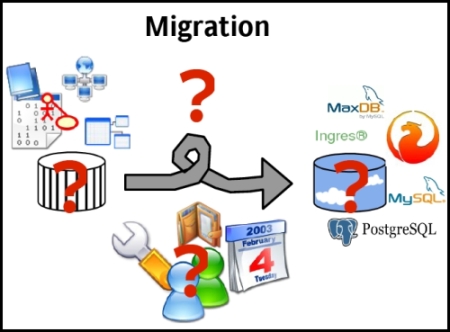
Database migration is the key in upgrading to new systems. It’s also done when an organization merges or is taken over by another. Migration is transferring and rewriting data from an old medium to the current one. This is usually done to preserve digital objects for a long time, such as reproducing newspapers into microfilm. This is also done to preserve data¸ at the same time, maintain the database.
Database migration, as its name suggests, is basically upgrading your system from an old version to a new one. It is also done to transfer data to a different and more efficient system. The data is transferred between computer systems and requires different phases – design, extraction, cleaning, loading, and verification. The data is mapped from the old system to the new. This creates a design for reading the data from the old system and writing it to the new one. The format of the old data is also related to the new system. Cleaning is done to remove obsolete information and to make sure that the data matches the new system’s requirements. After the data is loaded to the new system, it is then verified to make sure that the process was done successfully. The data should be translated accurately and completely and should support the new system’s processes.
Pros and Cons of Database Migration
Data migration is important to maintain a database, but there are also disadvantages. Technologies used to run the data may have become obsolete, which renders the migration useless. It is also time consuming and costly since migration has to be done regularly because technology changes from time to time. Plus, additional storage is also needed for every migration.
But migration is still important to maintain a database and can be efficient when done properly. More often than not, changes incorporated in the migration process are lumped together, which creates risks. The migration process should be done in steps and tested before being implemented. There are articles online which can help web owners to in migrating from old to new versions.
Due to the disadvantages of migration, alternatives such as emulation are now being developed by IT professionals. It’s the ability of a program to imitate another one. The program is called an emulator, which copies the functions of another program. But this technology is still being developed and database migration is still the key process in upgrading databases. Although the process has its setbacks, it can become a very efficient way of importing from the old to exporting to the new if done properly.
Related Posts:
Posted in Architecture, General | | 0 Comments
« Previous EntriesCategories
- Access
- Architecture
- Backup
- Data Integration
- DBA
- DBMS
- Disaster Recovery
- General
- High Availability
- How To
- IBM
- Monitoring
- Mysql
- Performance
- PostgreSQL
- Scripts
- Security
- Services
- SQL
- SQL Server
- Training
Tech Sources