![]() | ![]() | ![]() | ![]() | ![]() | ![]() | ![]() | ![]() |
![]() | ![]() | ![]() | ![]() | ![]() | ![]() | ![]() | ![]() |
![]() | ![]() | ![]() | ![]() | ![]() | ![]() | ![]() | ![]() |
![]() | |||||||
| By N2H | |||||||
Recent Articles
- Home
- Data Integration Software Options
- Data Integration Solutions
- Database Software Options
- Data Integration Tools
- Disaster Recovery and Business Continuity Auditing
- Disaster Recovery Best Practices
- Disaster Recovery Software Options
- Disaster Recovery Solutions
- High Availability Architecture
- High Availability Solutions
- How to Get Disaster Recovery Certification
- Remote DBA or Database Administration Services
- What is a BLOB or Binary Large Object?
- What are High Availability Clusters
- What are High Availability Servers?
- What Are Disaster Recovery Services
- What is a Data Mart?
- What is a Database Trigger?
- What is a Disaster Recovery Data Center
- What is a Disaster Recovery Plan?
- What is a DSN or Database Source Name?
- What is a Flat File Database?
- What is a Multimedia Database?
- Java Database
- What is a Relational Database?
- What is a Relational Database Management System or RDBMS?
- What is a Stored Procedure?
- What is a Sybase Database?
- What is a Transactional Database?
- What is a Web Database?
What is a DSN or Database Source Name?
September 11th, 2009 by DatabaseGuides
A data source name, also called the DSN, is a data structure that provides information on a certain database. This database usually includes an open database community server that it requires to function effectively. A data source name, which is usually embedded in a registry or a text file, includes information such as the name, the directory as well as the driver of the database. The DSN also includes the name and password of the user, which also depends on the DSN type. Most developer creates a separate DSN for each database. In order to share the particular database to other databases, the developer usually integrates a data within a program. On the other hand, the DSN without any connections will need to have ample information for a specific program in order to work effectively.
Types of Data Source Names
The first type of Data Source Name (DSN) is the user DSN. The user DSN usually allows a single user to gain access through a single computer or database. The second type is the system DSN. The system DSN allows multiple users for only a particular computer or database. The file DSN, on the other hand, needs a text file in .DSN format, and it can be shared by several users who installed the same drive on their databases.

How to Use the Data Source Name
When using a Data Source Name (DSN), you must consider the server you’re using. Most DSN is under an open database connectivity drive, which is required to access information from the database. When you’re using an open database source, you should simplify the information to be accessed, thus; making the code transparent to the database.
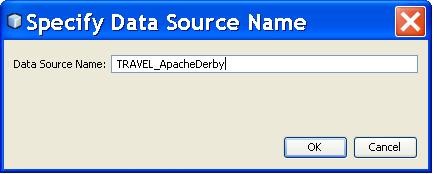
If you want to open a logging window for your open database source, you initially go to the data hub properties and select the Data logging icon. In the configure database logging, you should click the configure button. Configure your DSN by placing available user name and password as well as the DSN administration information. In selecting your DSN, you must choose an item from the drop-down box. The choices for a DSN administration is then specified or given by the system. Then, you place the user name and password and click “CONNECT”. If you have done it correctly, you will see the words “connected to”, but if an error occurs, you should contact your system provider.
If you are configuring your DSN, you should first click the DSN administrator button. By doing so, you’ll be accessing through the open database server. Select the user DSN or the system DSN. The selection will solely depend on how you’re going to access your DSN. Remember that a user DSN is only available to current DSN users, while the system DSN is only available to registered accounts in the computer. After choosing your DSN administrator, you can modify or create anew database. When you’re satisfied with all the data input, you can press OK and exit the open database source administrator.
Related Posts:
Posted in DBMS | | 0 Comments
What is a Flat File Database?
September 11th, 2009 by DatabaseGuides
Databases have evolved as technology continues to develop. Contrary to popular belief, databases have existed before computers were built. The data was not recorded in a computer but with crude accounting systems which were used by banks. There are different ways to collect and organize data to form a database. One of the models used in early time before the age of computers were flat file databases. A flat file database encodes a table of data in different means as a plain text file. A list of name, phone numbers, and addresses written by hand in table can be considered as a flat file database. To put it simply, any data which is placed in a single file in the form of columns and rows is a flat file database. This database evolved and led to more complex systems as computers emerged in the market.
Flat File Database
Flat files are plain texts which contains one record per line. The record has a single field that is separated by a comma or limited to a fixed length. Flat file databases were used by early computer machines. These machines implemented simple databases. Herman Hollerith was the first one to use the concept of a flat file database with the use of punch cards. His idea consisted of a string of 80 digits and letters, which represented the residents of the U.S., which were padded with spaces. He sold his idea to the US Census which used his machines and his punched cards to store data. This became the first computerized data which composed of boxes of punched cards. In the following years, computers used flat file databases for accounting purposes, particularly payroll. These computers were used by the military and corporations. The demand for these machines led to the creation of relational databases which used normalized tables to organize data. The early applications still used Hollerith cards, and the enterprise grew into a company called IBM. In the 1980s, flat file databases were used by DOS and Macintosh. These programs were designed to enable individuals to make their own databases. They were in the same level with spreadsheets and word processors that were popular at that time. Early versions included FileMaker and shareware PC-File.

Flat File Database Applications
Flat file databases are used today with or without the use of computers. The term is defined broadly if used for general purposes but becomes narrowed in conjunction with the database theory. Although there are a few programs left that will enable novice programmers to create their own flat file database, there are still many computer applications who use it. There are applications that enable users to store and retrieve their data from flat files with a predefined set of fields. Examples of these are programs that allow you to manage appointments or manage your collection of books. An organizer or planner can be considered as a flat file database. By simply listing your contacts along with their personal information which you will then use a reference can be considered as a flat file database. The application of flat file databases can range from simple handwritten records to an enterprise-level solution.
Related Posts:
Posted in DBMS | | 0 Comments
What is a Relational Database Management System or RDBMS?
September 10th, 2009 by DatabaseGuides
Every webmaster knows how invaluable database system is in running and managing information in a website. Be it a small webstore with limited traffic or a gargantuan website with multiple server location, database system is an integral part of planning and development cycle of a company.
Relational Database Management System or RDBMS is one of the most famous and most widely used database management systems in the industry today. If you know Oracle or IBM’s DB2 database management system, you are most probably aware of the presence of Relational Database Management System. After all, these are only two of many RDBMS available worldwide. To further improve your understanding, here are some things you should know about RDBMS.
Relational Database Management System Explained
Edgar F. Codd first introduced relational DBMS in 1970 in his paper entitled “A Relational Model of Data for Large Shared Data Banks” as well as in other papers where he operationally defined what he meant with “relational”. One of these papers is what is known as Codd’s 12 Rules, which define what makes up RDBMS.
In its elementary form, relational database is a shared data repository, which can be used to present relationships among information and to retrieve, update and store data efficiently. The Relational Database Management System or RDBMS is using this idea of a relational database, along with a set of programs, to do its functions. These functions, at the very least, include presenting the data as relations and providing relational operation that could allow user to manipulate the data stored.

Almost all RDBMS available today runs on Standard Query Language. Albeit there are attempts to use other programming languages like C++, none has been commercially feasible. Apart from SQL, one of the defining features of RDBMS is the use of tables and presentation of data and relationships in tabular form. Tables are used in RDBMS to define and describe a particular data.
Choosing the Best RDBMS for You or Your Company
Not all RDBMS is the best for you, your website and your business. Sometimes, a cheap and simple system is not enough to do the task, and sometimes, the high-end RDBMS is not the right and efficient way to go. To choose your RDBMS, you can select the ones that fit your needs best with categories like:
1.) administrative requirements
2.) administrative tools
3.) feature performance
4.) price.
Basically, administrative requirements and tools define how much attention a particular system needs and how many tools are available for the user when tweaking the system. Feature performance, on the other hand, generally refers to the performance of several features that comes with the DBMS. Such facet includes simple application as well as other aspects like replication, referential integrity and more. The last consideration for choosing a particular RDBMS is the price. Price includes everything the user has to pay for, and this includes license, support, maintenance costs and more. DBMS giants like Oracle and DB2 charges for licenses, while others like MySQL give user licenses for free.
Related Posts:
Posted in DBMS | | 0 Comments
What is a Sybase Database?
September 10th, 2009 by DatabaseGuides
When the word database is mentioned, the software called ‘Oracle’ usually comes to mind. This is understandable, as oracle is the most popular software used for making databases. However, if there’s a ‘first’ then that means there’s a ’second’ and a ‘third’. Sybase happens to be the second most popular software for databases. Sybase Inc., the company behind the Sybase database, has been around since 1984. They are one of the leaders in creating various database softwares and have even once been partnered with Microsoft, but they went on separate ways due to disagreements, which explains why Microsoft’s SQL server is very similar to that of Sybase’s SQL. In fact, Microsoft’s SQL server was derived from Sybase.
A Sybase Database is a database that is backed by Sybase’s server. To put it in more concrete terms, whenever you create and manage a database – that is, whenever you input your data and analyze it – Sybase is the one that allows you to do it. The Sybase server has two processes; namely, data server and backup server. It has one master database that contains both system and configuration data.

Creating a Database Using Sybase
Creating a database using Sybase is a relatively simple process. It all starts with the ‘create database’ command. Usually, Sybase servers have many different databases which have several tables within them. What’s great about Sybase is that it allows you to use a configuration wizard to create your databases. You don’t have to set up your database manually, but if setting it up manually is what you want to do, then you still have that option. But if you want convenience and an easier way to set up your database, you can definitely use the wizard as it takes you through the whole process step by step.
Managing Sybase Database
Now, once you’ve created your database, you’ll have to manage it. And to do that, you need a Sybase Query tool. Queries allow you to access the facts in your database in order to create new facts. This Query Tool contains several features and is specifically made to suit databases that are backed by a Sybase server. First on the list is the Sybase Visual Tool. This program allows the user to create a table within the database easily. Its ‘create table’ option will automatically include inputting of the column name, column, lengths, scales, constraints, nullability, etc. It also has a create view tool that makes the SQL for Sybase views. Of course, this program also allows you to edit your tables and create new databases. Tables are easier to edit using the Sybase Table editor, however, so it might be useful to have that one on hand as well. If you want to view the contents of your database, however, you need to use the Sybase Database Browser. The browser allows you to view the contents of your table and also your database objects. If you want to edit your SQL scripts, Sybase SQL editor will do the job. It supports many different programming languages such as PHP, HTML, XML, Java, and of course, SQL.
Related Posts:
Posted in DBMS | | 0 Comments
What is Data Management?
September 10th, 2009 by DatabaseGuides
In any organization, whether at work or in school, data collecting is essential as it provides all the facts and references that you could need some time in the future. Data is, in fact, an integral part in any endeavor as it provides you with all the premises that you could use to back up your claim, your conclusion or your solution. This is especially true if you are running a business, big or small, as it gives you all the pertinent details that could help you better serve your clients and basically run your organization as smoothly as possible.
Data Management
Data Management is exactly what the term suggests. It is your process or system of keeping all your data in such a way that accessing them at any given time is simple and easy. It also means that all your data are kept in a systematic way that works for your organization and that your system is easily understandable by any one who comes in to join your work force.
Data Management, however, is a broad term that encompasses every process used to manipulate all the information that you have gathered and will be gathering still for your business or any other endeavor.
To be able to have a truly efficient data management system, you must look into several categories broken down as follows – data model, warehouse, movement, administration, and finally, mining. These categories should be able to work hand in hand to be able to come up with an effective data management system.

Data Management Processes
Briefly, your data model is your skeletal frame for how you will be gathering all your data and compartmentalizing them in such a way that everything will be arranged according to classifications as per your specifications.
Your data warehouse is where you will be keeping all your data, arranged accordingly. In a word, data warehouses are your storage areas that should be kept organized to avoid clutter and errors.
When you talk about movements in data management, what you are concerned about is transporting your data from one place to the next without affecting it in any way so that what you have is still the data that you’ve started with, only this time, you’ve managed to keep it in your database.
Perhaps the most important component in your data management is your database management. This is why most businesses, especially large enterprises, choose to have a Database Administrator on hand to take care of their databases.
This means that your DBA will be responsible for everything that directly affects your database, including the ability to recover lost data due to interruptions in your database system, security so unauthorized access of your database will be monitored and prevented, and other such pertinent tasks involving your database.
Finally, mining when it comes to your data collecting processes is that which helps you determine the trending in your data, which ultimately can provide vital information to help you make critical decisions about your businesses.
Related Posts:
Posted in DBMS | | 0 Comments
What is Database Replication?
September 10th, 2009 by DatabaseGuides
For anyone who has ever had problems with handling their bulk data, whether for personal use or for office purposes, the importance of database management cannot be emphasized enough.
A lot of major corporations as well as individuals who run their own home-based businesses rely heavily on the computer for storing their important data among other things. This is why database management has become a key player in the success of any business venture because it helps keep track of all the important information needed in order to service clients better and basically have better outputs to likewise better provide their products and/or services.
Database Replication
Now that database management has become mainstream, the importance and relevance of database replication has likewise become a staple in any database management system. In fact, it is one of the major requirements of companies or individuals seeking the services of a good database software/application.
In simple terms, database replication means that your database is kept in storage in two separate servers – one as backup, in a manner of speaking. What it does to your business is that it ensures that, should your main database management system kept in the main server suddenly go haywire, your slave DBS server works in its place.

To anyone who wants to run their business data as smoothly as possible, this is reason to breathe a sigh of relief because it means that you will never experience having to risk losing good business should your database management system all of a sudden go kaput on you.
Recoverability, reliability and efficiency also reflect on the replicated database, just as much as it is evident on your main database system. This means that, whether you run your DBMS on your main server or you run it on your slave server, the efficiency and accuracy remain the same.
Other Advantages of Database Replication
As if it were not enough, database replication has several other great aspects that you will appreciate. As mentioned, the accuracy and efficiency of the replicated database are the same as the main database system.
What this means is that, when you perform certain tasks on your DBMS, changing, altering and basically manipulating you data on your main server, the changes and any other tasks performed are likewise reflected on the replicated database.
So whether your network of users is accessing your database through the main server or through the slave server, the changes that have been made will be seen on both databases. Simply put, when you update your data on the main database system, the same updates are applied to the replicated database.
Understanding the importance of database replication, database management software providers usually include this feature in their services so as to accommodate the requirements of companies and individuals.
Otherwise, you can look for database replication software providers who can accommodate the kind of database management system that you already have in place to ensure that your database replication will work just as smoothly as your primary database system.
Related Posts:
Posted in DBMS | | 0 Comments
What is ETL or Extract, Transform, and Load?
September 10th, 2009 by DatabaseGuides
To be able to understand ETL better, it’s best to first briefly say what a data warehouse is. When you talk about Data Warehouse, what you’re actually talking about is the place where you keep all your data – electronically, that is. However, your data warehouse isn’t only the place where you store all the electronic data you’ve gathered and now want to keep for future use. It’s not like a garage where you carelessly throw in everything you’ve gathered. Your data warehouse should be designed in such a way that your data collecting and storing are well-organized. This will ensure that your basic data management system is as effective as can be; otherwise, your business will be sorely affected by a mismanaged data storage system.
Data Warehousing and ETL
ETL is the abbreviation for Extract, Transform and Load – processes that you use in data warehousing. ETL ensures that your electronic data will reach its destination – your data warehouse – intact and in good condition, efficiently and effectively.
First on the list is Extract. Extracting data means that you are getting the data from its source, and these sources may be different from one another with different formats. Therefore, it is very important that your extracting process is efficient as it is also in this process that your data that have been extracted will be converted to the appropriate format to make it ready for the next process, which is transforming of the data.

Transforming the data may require different processes, depending on the kind of data that you have extracted. This transformation of data means that your extracted data will be manipulated in a way that will prepare it for the next process which is loading. As mentioned, the transformation process may vary, depending on the kind of extracted data that needs to be loaded to the database or the data warehouse. Others need very little modification, while others require several steps.
The final stage is the loading. Here is where all the extracted and then transformed data are finally loaded into your data warehouse or you database for storage.
ETL Software/Tools
To be able to run your ETL processes, you will be needing the appropriate ETL software. This means that your ETL software should be able to do all three processes on your data to make them compatible enough to be stored in your databases or your data warehouse.
Your ETL software should be able to Extract, Transform and Load data derived from any source to its destination for storage. ETL being a vital factor in your data management, one must not overlook the kind of ETL software or tools that you will be using.
While ETL tools could prove to be costly, it is nonetheless important to note that its importance cannot be emphasized enough. This is why your choice of ETL tools is likewise very important. It should be able to provide you with all the appropriate ETL processes for the completion of your data migration to ensure that your database will always be accurate, up-to-date and efficient.
Related Posts:
Posted in DBMS | | 0 Comments
What is a Database Management System or DBMS?
June 8th, 2009 by Shenron
The Database Management system or DBMS is also called a file or database manager that allows users to have access to a database. When a person uses a database manager system, he has the opportunity to understand where the necessary data are located. The Database Management System manages the user’s request to access a database and its data on other related programs.
All about Database Management Systems
A database system is a compilation of information in collaboration with a set of program in order to access the data. The primary objective of using this kind of system is to establish a convenient and efficient working environment.

A database management system is used to manage large files. In using the database system, you must understand that this system will aid in storing and manipulating important information. Moreover, this kind of system also contributes to the safety of your files against system crashes or unauthorized access. In certain circumstances where a person needs to share a data, the system will make sure that there will never be an incidence of file corruption.
The Special Features of Database Management Systems
The database management system has played its role in developing new tools to help businessmen and software developers in storing and manipulating important information. Today, the DBMS has special features that would allow users to effectively store, manipulate and share codes and procedures without any complexity.
Here are the special features of the DBMS:
- The ability to process queries. The term “querying” is the method of accessing information from different locations or programs. For instance, if a user wants to gather data on the status of his business, he can use the query language that will allow him to have access on the database, and in the same way; the database system analyzes the data and revise it in accordance with the user’s privileges.
- The ability to backup and replicate files. It is important to create a backup source of files in case there’s any equipment failure. The DBMS provides the amenities to extract and share the attributes set. The data is then copied to two database servers so that the information remains consistent in the system.
- The ability to establish rules on attributes. If a user wants his attributes or information to become reliable, then the DBMS will allow you to place a rule on your attributes. For instance, you only want each mobile phone network to only provide one particular unit model associated with them. If another user wants to change the facts, then the DBMS will deny the access. However, the DBMS also allows users to modify the rules on the attributes.
- The ability to secure the attributes. Often, users would only want to put a limit on who can see and manage their attributes. The DMBS allows users to place a security on their attributes so that only a number of reliable people may have access to the attributes.
- The ability to compute the attributes. Common computations like sorting and grouping are required for most attributes. That’s why users depend on the DBMS to help them on such calculations.
Related Posts:
Posted in DBMS, Scripts | | 0 Comments
What is a PostgreSQL Database?
June 8th, 2009 by Shenron
PostgreSQL is primarily an object-relational database management system that was launched under BSD-style license. Thus, PostgreSQL is free software. It is then managed by several companies and is taken into global heights.
History of the PostgreSQL Database
PostgreSQL was developed after the Ingres project at the University of California in 1985. Its developer, Michael Stoneback, planned to commercialize the Ingres. After some time, he came back and started on the post Ingres project. The post Ingres project was conceptualized because of the problem on database management system that was apparently vivid during the 1980s. Thus, Postgre was born. Postgres was made to add new features to increase compatibility to types of database management system. Some of the features of the Postgre include the ability to identify and define relationships. The Postgre can also form connections with other related tables without affecting the other files and other databases. In 1986, the Postgre publications were released, and there were several revisions of the Postgre that lasted until 1993. The last revision, which was the 4th version, was the clean-up project. In 1993, the project ended. Since the Postgre was registered under the BSD license, then open-support developers have the privilege to manipulate and make necessary improvements to the program. In 1994, the Postgre was integrated to the query statement, SQL. Thus, it was named Postgres95. In 1996, Postgre95 was renamed PostgreSQL. With the BSD license, the PostgreSQL continues to undergo significant improvements. PostgreSQL is open to commercial developers, vendors, support companies and program developers.

Advantages of the PostgreSQL Database
PostgreSQL database is significantly useful to commercial database vendors, support companies and program developers at large. Deployment is definitely an issue encountered by database vendors. They consider this as their number one licensing compliance problem. But since PostgreSQL is free database software, then issues on compliance don’t matter at all. There is no licensing cost, and no one will sue you for breaking any licensing agreement. With the use of the PostgreSQL database, users can make more profitable business models, can actively participate in researches, and no chances of getting audited. PostgreSQL database also has a better support system than other databases. Users can relate to professionals as well as other support groups for advices or improvement of your programs. With the use of the PostgreSQL database, users can make remarkable savings, especially on staff employment. The PostgreSQL database is designed to have lower maintenances than other databases. This software is also reliable and stable. PostgreSQL has been said that it does not crash that easily, and this only proves that this software can last and protect your important files for a long period of time. PostgreSQL database is also extensible, which means that users can easily have access to the software and make the necessary changes without any additional charges. This software is also compatible with any platform, which includes every brand of UNIX and Microsoft. Moreover, PostgreSQL database is relatively useful for large volume environment, and it also comes with administrative tools as well as GUI tools for open source and commercial vendors.
Related Posts:
Posted in DBMS, PostgreSQL | | 0 Comments
What is a MySQL Database?
June 8th, 2009 by Shenron
MySQL is one of the well-known relational database systems. It is owned by a Swedish company called MySQL AB, which became a subsidiary of Sun Microsystems in 2008, recently acquired by Oracle. It is widely used in web applications and also acts as a database component. It is commonly used for open source bug tracking tools such as Bugzilla. MySQL became well known due to the popularity of PHP and Ruby on Rails, which were often combined with it. High-traffic websites such as Google, YouTube, Facebook, Wikipedia and Nokia use it for data storage. It works on a variety of system platform such as Mac OS, Linux, Windows XP, Solaris and Symbian. Programmers can access its libraries which are available in different programming languages. They can use the command line tool included in the database. GUI administration tools can also be downloaded from the MySQL website. There are also free noncommercial tools that are available for use.

Two Variants of MySQL Database
MySQL has two variants: the MySQL Community Server and Enterprise Server, which shares a common code base and a host of features. This includes a cross platform support, cursors, triggers, stored procedures, independent storage engines, strict mode, updatable views, query caching, and partial Unicode support. Its distinguishing features that separate it from other relational database systems are multiple storage engines which allow the user to choose the most effective table for application, native storage systems, partner and community developed storage engines, custom storage engines and commit grouping. Starting with version 5.1, the product will be released with only one server package. A server binary will be included for debugging information. Unlike other RDBMS, MySQL was first released late in 1995. After three years, the version for windows was released. This followed a series of releases which featured developments. Version 4 had unions; version 4.1 had R and B-trees, prepared statements and subqueries, version 5 had cursors, triggers, views, XA transactions and stored procedures; and version 5.1 had an event scheduler, plugin API, server log tables, row-based replication and partitioning. Future releases of the product will include foreign key, additional Unicode characters, support for parallelization and new transactional storage engine called Falcon. These features will be included in the version 6 and 6.1. The MySQL server is a free software under the general public license and buyers have access to binaries through subscriptions. These binary updated include the latest bug fixes. Buyers of the MySQL enterprise are provided with support ranging from performance tuning to advice on system architecture. The main problem of the product nowadays is that it is prone to crashing. Wrong result bugs appear and take a long time to fix. The server also performs poorly with data warehousing.
Future of MySQL Database
MySQL has been widely used and known because it is a free software, and the company was able to address its issues when they released version 5. Nowadays, it is still popular with web applications and is still being developed for better efficiency. The database may not be as big as other competitors, but MySQL has remained popular due to its accessibility. Let’s what Oracle is up to now…
Related Posts:
Posted in DBMS, Mysql | | 0 Comments
« Previous EntriesCategories
- Access
- Architecture
- Backup
- Data Integration
- DBA
- DBMS
- Disaster Recovery
- General
- High Availability
- How To
- IBM
- Monitoring
- Mysql
- Performance
- PostgreSQL
- Scripts
- Security
- Services
- SQL
- SQL Server
- Training
Tech Sources